
One combined bill per table
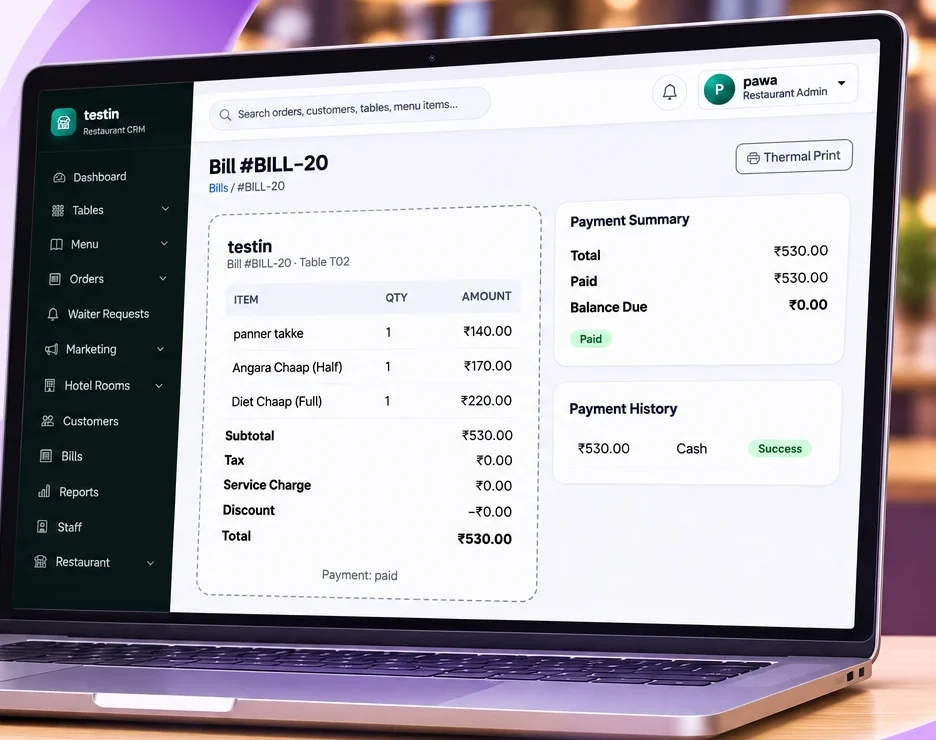
Every order from a table's session adds to the same bill. Nothing is left off.
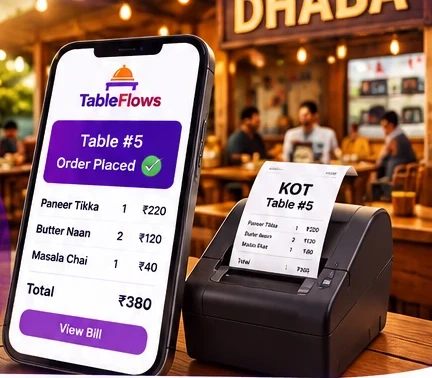
TableFlows is dhaba billing software that runs on the phone you already have. Every order from a table goes into one combined bill with GST and service charge on separate lines, and every order can print a KOT for the kitchen in one click.
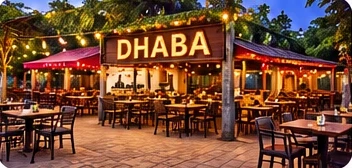
A dhaba at the lunch or dinner rush runs on speed. Waiters shout orders, the kitchen misses one roti, and at the end the bill is written by hand or added up from memory. That is where money leaks.
Dhaba billing software fixes this by putting every order in one place. What the table orders is what the kitchen makes, and what the kitchen makes is what goes on the bill.
Every order from a table's session adds to the same bill. Nothing is left off.
Set your GST rate once. It shows as its own line on every bill, with your GSTIN in the header.
Print a kitchen ticket from the order in one click. Any thermal printer works, or keep the Orders screen open.
Guests scan and order from their phone. No app. Waiters can still take orders.
Record any payment method, split a bill across two and see the balance due.
Guests tap a button and staff see which table needs them. No shouting across the dhaba.
See billed and collected amounts for the day, so the cash in the counter matches the bills.

TableFlows shows GST as a line on the bill. It does not file GST returns.
The guest scans the table QR, or tells the waiter the order.
The order appears on the live order list with an alert, and staff print the KOT for the kitchen.
More orders from the same table add to the same bill.
When the guest asks, the bill is ready with GST and service charge.
Record cash, UPI or card, then print or show the bill.
You pay only for the tables you have, from ₹39 per table per month. Every plan has the same features. The price per table drops on larger plans.
| Tables | Per table / month | Monthly total |
|---|---|---|
| 5 | ₹59 | ₹295 |
| 15 | ₹53 | ₹795 |
| 25 | ₹49 | ₹1,225 |
| 60 | ₹43 | ₹2,580 |
| 100 | ₹39 | ₹3,900 |
See all plans on the pricing page. Start with a free 10-day trial.
TableFlows works in a browser on a phone, tablet or computer, plus an Android app for staff. You do not need a special billing machine. A thermal printer is optional if you want printed KOTs and bills.
See the full restaurant billing software and restaurant POS.
The dhaba rush has a rhythm: big groups, loud kitchens, orders shouted across the floor. The mistakes are always in the same three places.
When guests order on their phones, the kitchen reads the order instead of hearing it, so a missed naan or a wrong curry is far less likely.
Items sit on the bill from the moment they are ordered, so a late dessert cannot slip off the final total.
The combined bill is ready when guests ask, instead of being added up by hand while they wait.
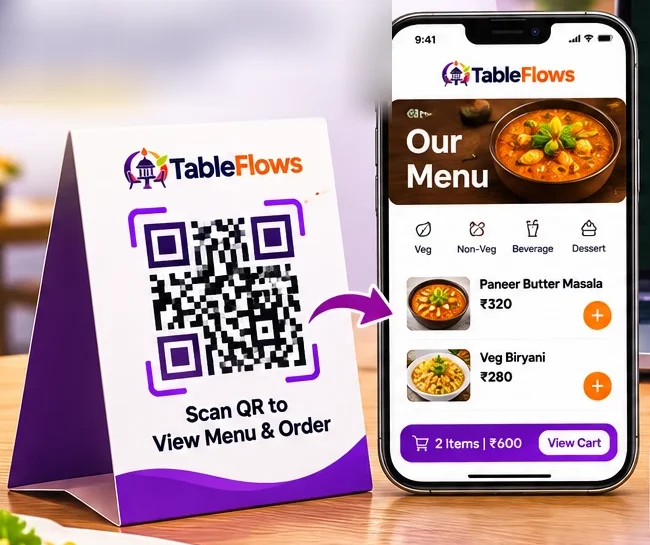
Dhabas often have outdoor or open seating, so the QR code needs to survive the environment.
See QR code ordering and the waiter call system.
TableFlows is built for seated dining. For mostly takeaway or parcel counters, see our QSR software.
Large family seating, big groups and a rush that comes all at once.
Busy evenings, repeat rounds and bills that must be right. See small restaurant software.
Tables in several sections, each with its own QR code and its own bill.
A GST rate, your GSTIN in the header and a clean bill, with no complex software to learn.
Ask these of any billing software, TableFlows included, and test the answers on your own menu. Start with a free 10-day trial.
Yes. Every order in a table's session, however many rounds, adds to the same bill.
Yes. Your GST rate shows as its own line, and your GSTIN prints in the bill header.
It runs in a browser on the phone, tablet or computer you already have. A printer is optional.
Pricing is per table per month, from ₹39, and every plan has the same features.
Yes. Staff can place orders for any table from the restaurant panel or the Android app.
The best dhaba billing software is simple, works on a phone, and puts every table order on one bill. TableFlows does this with KOT printing, tax lines and QR ordering from ₹39 per table per month.
Yes. Set your GST rate once and it shows as a separate line on every bill. You can print your GSTIN and address in the bill header. TableFlows does not file GST returns.
No. TableFlows runs on any phone, tablet or computer browser. A thermal printer is optional for KOTs and printed bills.
TableFlows is priced per table per month, from ₹39 per table. The price per table drops on larger plans. All features are in every plan. See the pricing page.
Start with a free 10-day trial.
Yes. Staff can place orders for any table from the restaurant panel or the Android app, so guests who are not comfortable with phones are still served.
Yes. Open the order and print its KOT in one click, so the kitchen has a ticket to cook from. A setting can also open the print dialog automatically for orders staff place from the panel.
No. TableFlows needs an internet connection. A basic mobile data connection is enough for the light menu and order screens.
The guest menu is a light web page that opens in the phone browser, and staff can use any modern phone, tablet or computer.
Staff can enter an order for any guest in the restaurant panel, but TableFlows is built for seated dining.
Fast billing. Happy customers. More business.
Share your details and our team will contact you about TableFlows.