
One-click KOT printing
Open any order and print its KOT. The ticket is formatted for thermal receipt paper, and you can reprint it any time.
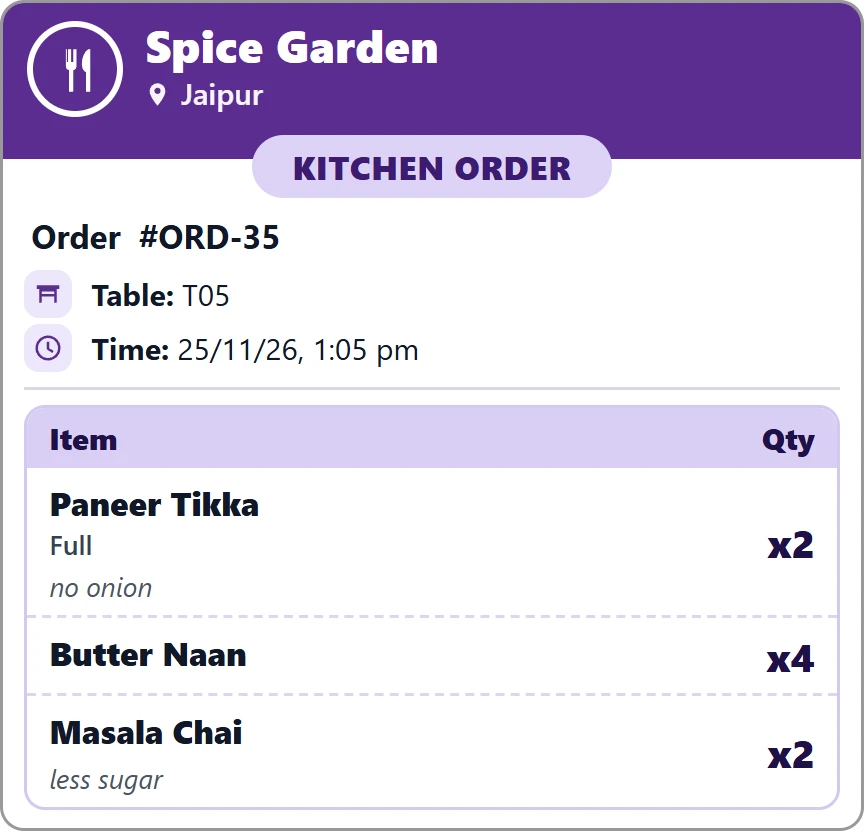
TableFlows KOT software creates a kitchen order ticket for every order, whether it comes from a guest's phone or from your staff. The ticket shows the order, the table, each item with its quantity and notes like "no onion", and prints on any thermal printer in one click. Plans start at ₹39 per table per month. Start with a free 10-day trial.
KOT stands for Kitchen Order Ticket. It is the slip the kitchen cooks from: table, dishes, quantities and special requests. A KOT has no prices, because it is only for the kitchen. The bill is a separate document for the guest, with totals, GST and payment.
Five things that get an order from the guest to the cook without anyone writing it twice.
Open any order and print its KOT. The ticket is formatted for thermal receipt paper, and you can reprint it any time.
QR orders from guests and orders staff enter in the panel or the captain app all produce a KOT. No order reaches the kitchen without a ticket.
"Less spicy", "no onion" and "extra cheese" print right under the dish they belong to, so the cook cannot miss them.
Mark each order accepted, preparing, ready and served. The whole team sees the same live Orders list, so the paper ticket is never the only record.
Every item on a KOT is already on the table's bill. Nothing cooked is left off the final bill.
Want the dialog to open by itself? A setting in Settings opens the KOT print dialog automatically for orders staff place from the panel.
The guest scans the table QR, or a waiter enters the order.
The order appears on the Orders screen with a sound alert.
Staff print the ticket in one click. It goes to the kitchen rail.
Cooks work from the ticket and update the status.
The waiter serves and marks it served. The items are already on the bill.
 1234
A cook should read a KOT in two seconds. This is a real TableFlows KOT, printed from a sample order. It has no prices.
If an order is edited, a revised KOT shows what was added, changed or removed.
You need a standard thermal receipt printer (58 mm or 80 mm) and a phone, tablet or computer that can print from the browser. No special KOT machine is needed.
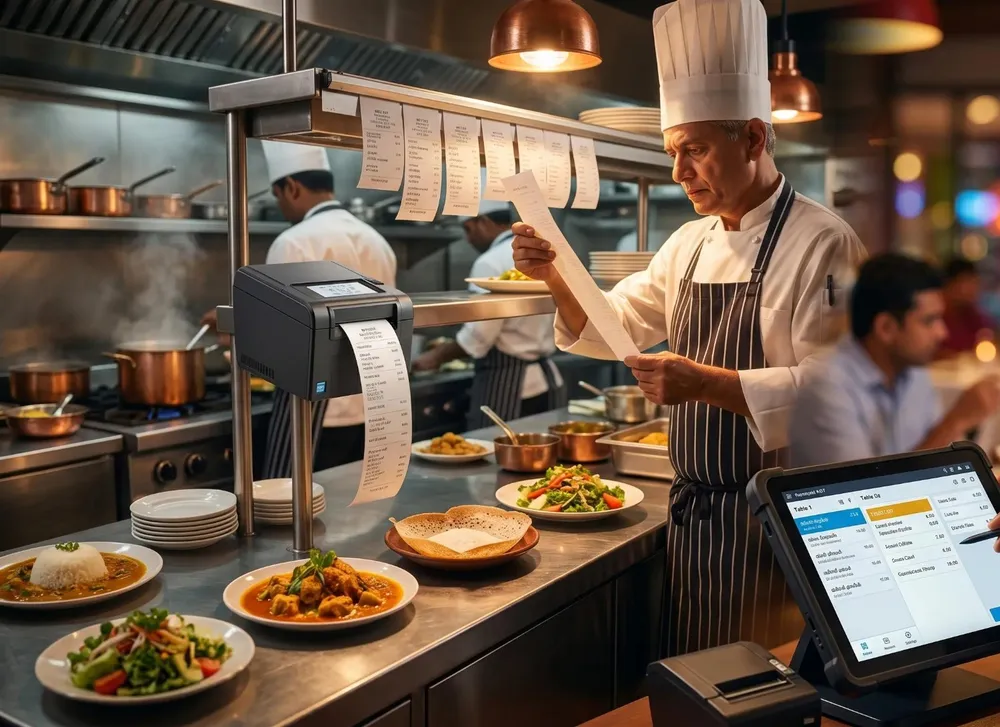
TableFlows KOT works in dhabas, cafés, bars, family restaurants and hotel restaurants with seated dining.
KOT printing is included in every plan, with QR ordering, billing and reports. From ₹39 per table per month. The price per table drops on larger plans.
KOT means Kitchen Order Ticket. It is the ticket the kitchen uses to prepare an order, showing the table, items, quantities and notes.
KOT software creates kitchen order tickets from orders, so staff don't write them by hand. TableFlows makes a KOT for every QR order and every order staff place.
Any standard thermal receipt printer works. The KOT is formatted for thermal paper and prints from a phone, tablet or computer browser.
Yes. Open the order and print its KOT again whenever you need to.
No. A KOT is for the kitchen, so it lists table, items, quantities and notes. Prices appear only on the bill.
Yes. Every order, whether placed by a guest through the QR menu or by staff, can print a KOT.
You print it in one click from the order. For orders staff place from the panel, a setting can open the print dialog automatically. QR orders appear on the Orders screen with an alert and are printed from there.
Not a separate screen. The live Orders page works on a tablet at the pass, and the printed KOT goes on the rail. See the kitchen display system page.
KOT printing is included in every TableFlows plan, from ₹39 per table per month. Start with a free 10-day trial.
Add your menu, connect a printer and print your first KOT in minutes. Free 10-day trial, and your account is active right away.
Share your details and our team will contact you about TableFlows.